

Instagram statistics: dialogs with stories and from Direct
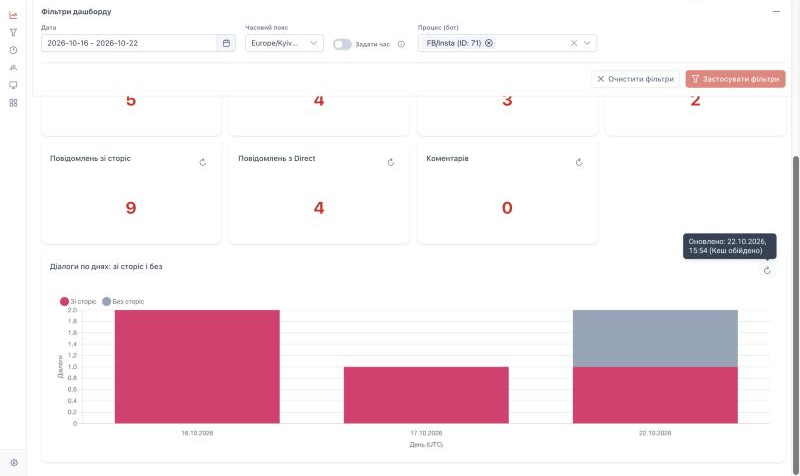
To see how many Instagram requests come through stories and how many through Direct, open the Instagram tab in native statistics. It shows numbers for the selected period and bars by day: dialogs with and without stories.
When to use this
- You need to assess whether stories bring clients to the chat and what share of dialogs they give.
- You need to compare the operator workload from stories and from Direct.
- You need to see how the number of dialogs changed after a story was posted or a campaign started.
What to know
- The tab is turned on separately for each instance. If you do not see it, contact your administrator or ConnectiveOne support.
- Data starts from the day tracking was turned on. Past periods are not recalculated. Days when tracking was off have no data.
- Only closed dialogs are counted. The last days of the period are incomplete because open dialogs are not closed yet.
- With stories — dialogs opened by a story reply, or where the client replied to a story or mentioned your account in a story at least once.
- With stories and Opened by Direct overlap. A dialog opened from Direct that later had a story is in both numbers, so adding them can count a dialog twice and exceed Instagram dialogs.
- The day is the dialog start date in UTC. Dialogs started at night local time may fall into the previous day, and a bar of the neighbouring day appears at the edges of the period.
Before you start
Steps
- Open Menu → Statistics.
- Go to Main statistics.
- Select the Instagram dashboard tab.
- In the filter bar, set Date and, if needed, Process (bot).
- Click Apply filters.
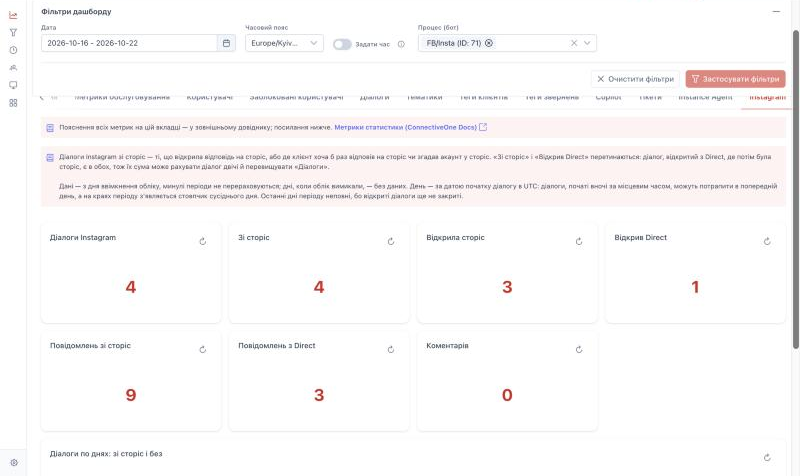
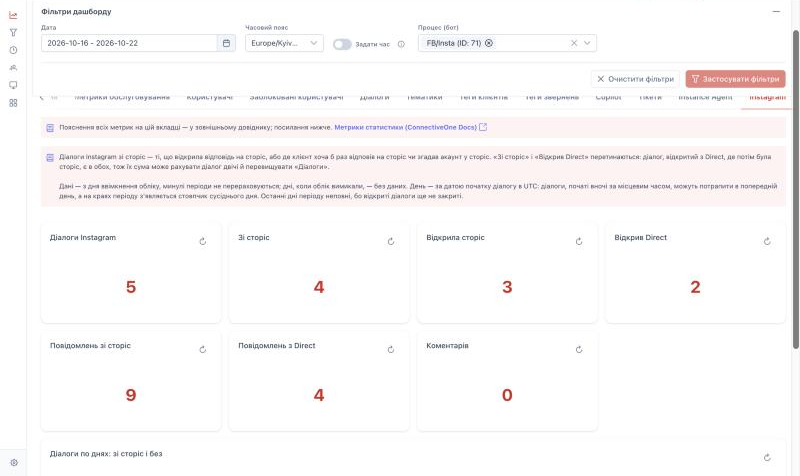
What the numbers show
| Number | What it shows |
|---|---|
| Instagram dialogs | All closed Instagram dialogs in the period |
| With stories | Dialogs related to stories: opened by a story reply, or with a story reply or mention |
| Opened by a story | Dialogs that started with a story reply |
| Opened by Direct | Dialogs that started with a Direct message, a shared post, an ad, a link or a button |
| Messages from stories | Client messages: story replies and account mentions in stories |
| Messages from Direct | Client messages in Direct, including shared posts |
| Comments | Comments and mentions under posts that came to the chat |
Bars by day
Each bar is all Instagram dialogs that started that day (UTC). The bottom part is With stories, the top part is Without stories. Hover over a bar to see both numbers.
Why the numbers may differ from what you expect
- Dialogs closed before tracking was turned on are not counted.
- The first Direct message may be missing from Messages from Direct if the scenario waits for the client's answer before an operator is connected. The dialog itself is still counted in Opened by Direct.
- Several messages the client sent in a row that were merged into one are counted as one.